


Migration Process
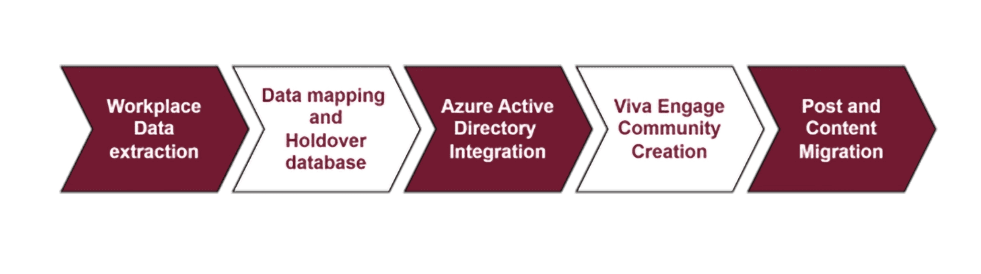
1. Workplace Data Extraction
Develop a Workplace application to acquire the necessary API credentials, specifically the App ID and App Secret. Create an access token utilizing the App ID and App Secret. Utilize the Facebook Graph API to retrieve data from Workplace, encompassing groups, members, posts, comments, and reactions. Incorporate pagination and manage throttling to prevent issues related to API rate limits.
2. Data Mapping and Holdover Database
Establish a MySQL database to function as the temporary storage for migrated data. Design the database schema to align the extracted Workplace data with the corresponding Viva Engage data structures. Develop a Python script to convert the extracted Workplace data and insert it into the temporary database.
3. Azure Active Directory (AAD) Integration
Register a new application within the Azure Portal to facilitate interaction with the Microsoft Graph API. Acquire the necessary credentials, including Application ID, Client Secret, and Tenant ID. Assign the required API permissions, such as Group.ReadWrite.All and User.Read, ensuring that admin consent is granted. Generate an access token using the AAD credentials to access the Microsoft Graph API.
4. Viva Engage Community Creation
Use the Microsoft Graph API's "Groups" endpoint to programmatically establish communities in Viva Engage. Extract user information from the temporary database and incorporate members into the newly formed communities.
5. Post and Content Migration
Utilize the Yammer API to share messages, comments, and reactions within the Viva Engage communities. Manage attachment uploads, including larger files, through the Yammer uploadSmallFile API and Open Graph (OG) objects. Implement user impersonation to post content on behalf of users, ensuring that the necessary permissions are in place.
What were the challenges we faced ?
We faced significant obstacles in the process of migrating posts from Meta Workplace to Viva Engage. Utilizing the Microsoft Graph API presents complexities due to its limited capabilities. While the MS Graph API facilitates the creation, viewing, updating, deletion, and member assignment within communities, it lacks endpoints for migrating content (posts).
How can we address this issue?
The backend engine of Viva Engage is based on Yammer, as Viva was previously known as the Yammer engagement portal. Therefore, we will leverage the Yammer API for our post migration efforts.
(Endpoint utilized - https://www.yammer.com/api/v1/messages.json)
Content Migration Limitations for Posts:
The Yammer API supports a limited selection of HTML tags:
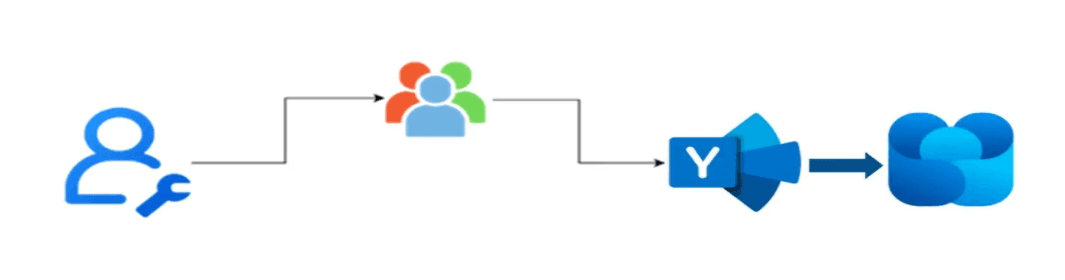
Note: Yammer will not support to add the posts on the past date and time, it allows only current date and time while the post is published/migrated.
Here is an example:
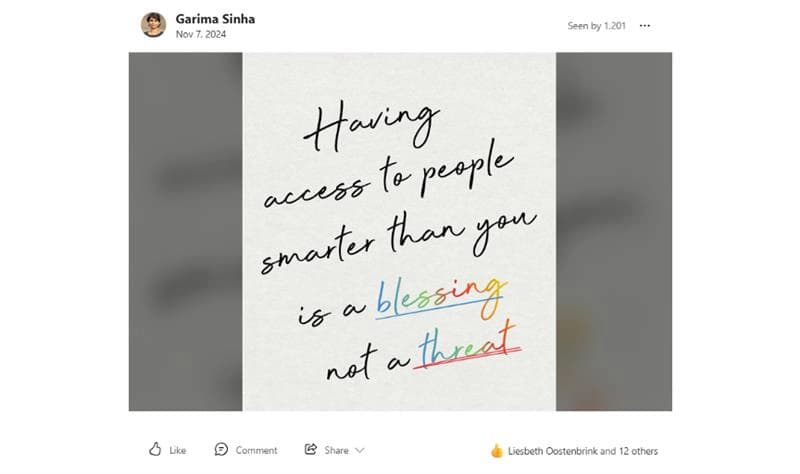
i) The post mentioned above was authored by Garima Sinha on November 7, 2024; however, the migration date for the post is displayed as November 28, 2024, as seen in the example.
ii)On November 7, 2024, Selva Muthu Kumar M A provided a comment on the post.
iii)Ranganayaki R and seven other users have expressed their approval of this post on various dates.
How can we achieve User Impersonation
User impersonation is essential since each user will create content using their individual logins. Consequently, we will generate posts on their behalf, a method known as "Admin on behalf of User."
In Azure app registration, specific permissions are necessary; therefore, enable Yammer -> User Impersonation -> Delegated access.
In this scenario, we utilized the Yammer API by registering an app on their platform.
Additionally, the MS Graph API can be employed to generate the access token for User Impersonation.
1. Log in to Yammer as an Admin:
Ensure you are logged into the Yammer network where you intend to register the app with an account that possesses administrative rights.
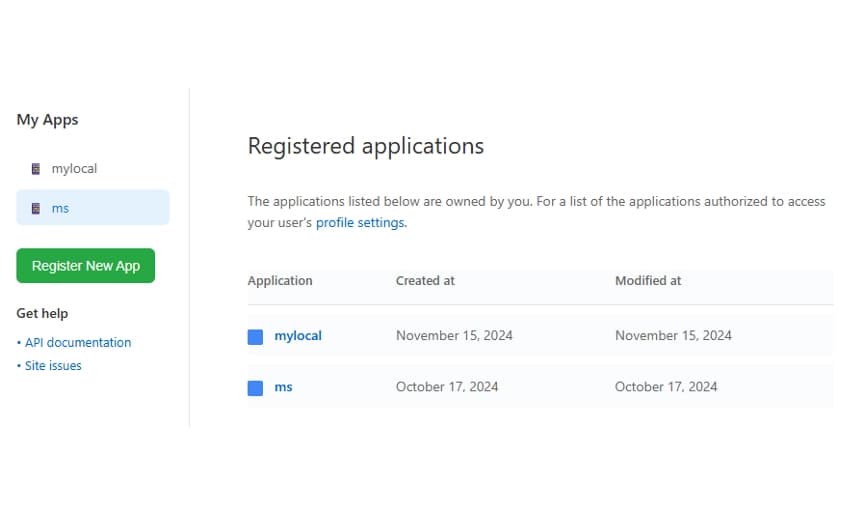
2. Navigate to the App Registration Page:
3.Complete the Application Details:
By clicking the "Register New App" button, the application registration form will appear.
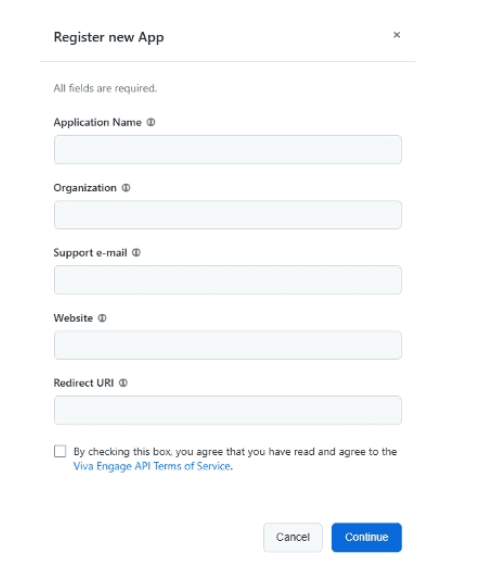
After filling in the required fields and selecting the continue button, your application will be registered.
You will receive a Client ID, Client Secret, and Developer Key, which are crucial for authenticating your application and making API calls to Yammer.
Checklist to generate an access token
Here is a brief checklist to help you generate an access token and create a community post on behalf of the user:
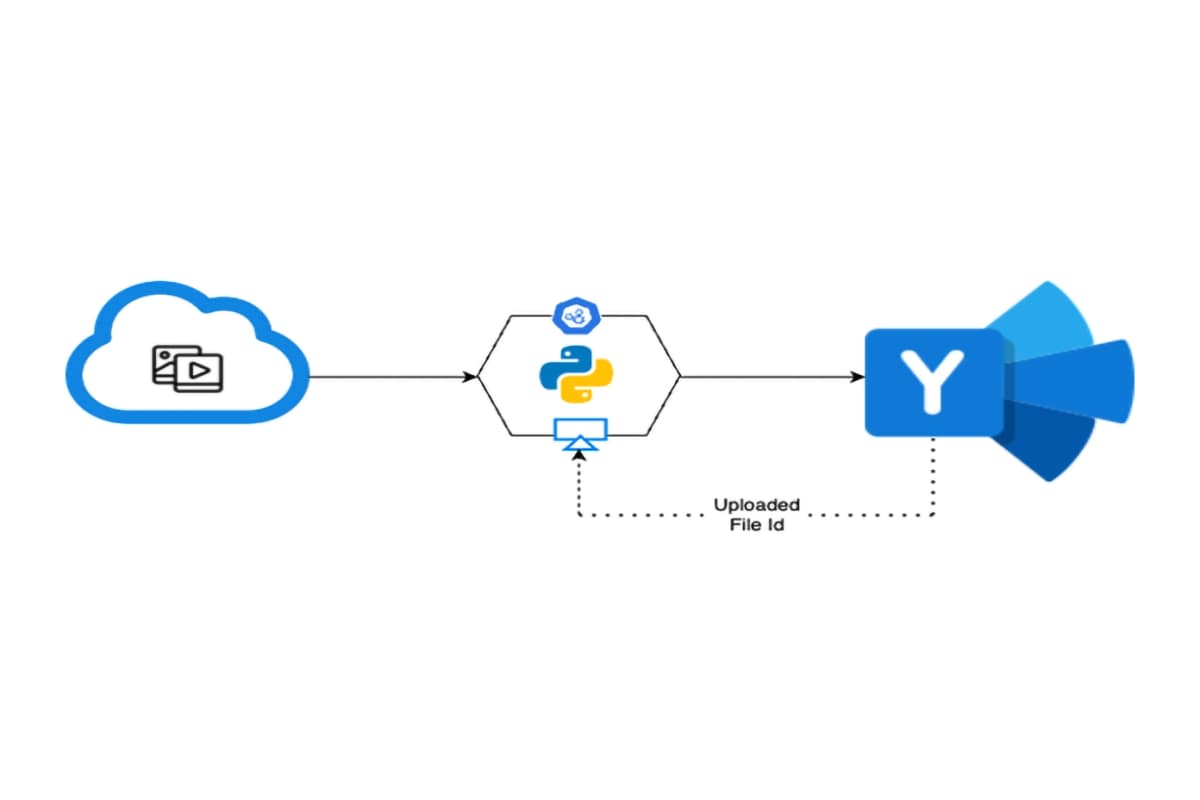
If needed, utilize the Python image library to compress the image and store it in temporary local storage.
Are you familiar with Open Graph Objects?
An Open Graph object in Yammer serves as metadata for a specific URL, encompassing details such as the title, description, image, and content type associated with that URL. This metadata enables Yammer to generate rich previews for links shared on the platform.
Yammer's Open Graph objects facilitate the integration and display of rich content from external URLs within the Yammer environment.
In our scenario, Meta Workplace accommodates large video uploads exceeding 100 MB, while Yammer restricts file sizes to a maximum of 4 MB.
By leveraging Open Graph objects, we plan to upload larger videos to the Viva Engage portal, with streaming facilitated through the SharePoint Community Document Library. Additionally, external links can also be managed using Open Graph objects.
We hope this blog provides you with valuable insights into the process of migrating from Workplace to Viva Engage.

Enterprise Architect
With over 25 years of experience in the IT industry, I am an enterprise architect specializing in IT Infrastructure, Software Engineering, Cloud solutions, and application modernization. My expertise spans building innovative solutions using emerging technologies, helping organizations navigate digital transformation journeys, and optimizing enterprise architectures for scalability and resilience. Throughout my career, I've guided numerous businesses through complex technological shifts, combining strategic vision with practical implementation knowledge to deliver sustainable results that drive business value.
Mindsprint exists to responsibly engineer the next generation of enterprises, driven by insight, innovation, and passion. With a proven track record spanning two decades, we are the partner of choice for high-impact, AI-driven technology solutions for clients across the globe in industries such as retail, agriculture, manufacturing, healthcare, and life sciences among others.
Our offerings include enterprise technology applications, business process services, cybersecurity solutions, and automation-as-a-service, delivered with a strong commitment to responsible innovation.
Headquartered in Singapore, Mindsprint has a global workforce of 3,200+ professionals across the US, UK, Middle East, India, Australia, and Africa.
Choose your innovation pathway, be it digital transformation strategy, IT consulting services, intelligent enterprise operations, cybersecurity, or the latest technology trends. Let us start a conversation. Let our minds sprint towards true digital transformation
Get in touch
